MCP SECURITY PROXY

Control what AI agents do in your third-party apps

Say yes to AI agents working in your apps through MCP, and stop risky actions in those apps before they run.

Trusted By

Each MCP connection gives an AI agent a direct path to your app data, outside your security team’s controls

Employees can connect AI agents to apps like Salesforce, Snowflake, Slack, and Google Drive through MCP in minutes. On a direct connection, an agent can send customer records to an outside address through an MCP tool that no one reviewed.

From: a direct MCP connection

To: with MCP Security Proxy
Agents can call any MCP server tool

Agents can call any tool the vendor’s MCP server offers, which may include deleting records or exporting data.

Control agent actions at runtime

Decide which tool calls an agent can run, and block the rest before they reach the app.

MCP requests hide user and tenant

A request looks like any valid session, with no sign of the person or app tenant behind it.

Know who is acting and where

Tie each agent session to the person behind it, their account in the app, and the specific workspace, org, or instance it reaches.

App tokens stored in AI clients

The app’s access token sits in the AI client, outside the controls your security team manages.

Keep app tokens out of agents

Agents receive a proxy-issued token, and each user authorizes the app through the vendor’s own consent flow.

How the MCP Security Proxy controls agent activity in your apps

Check each agent tool call before it reaches the app

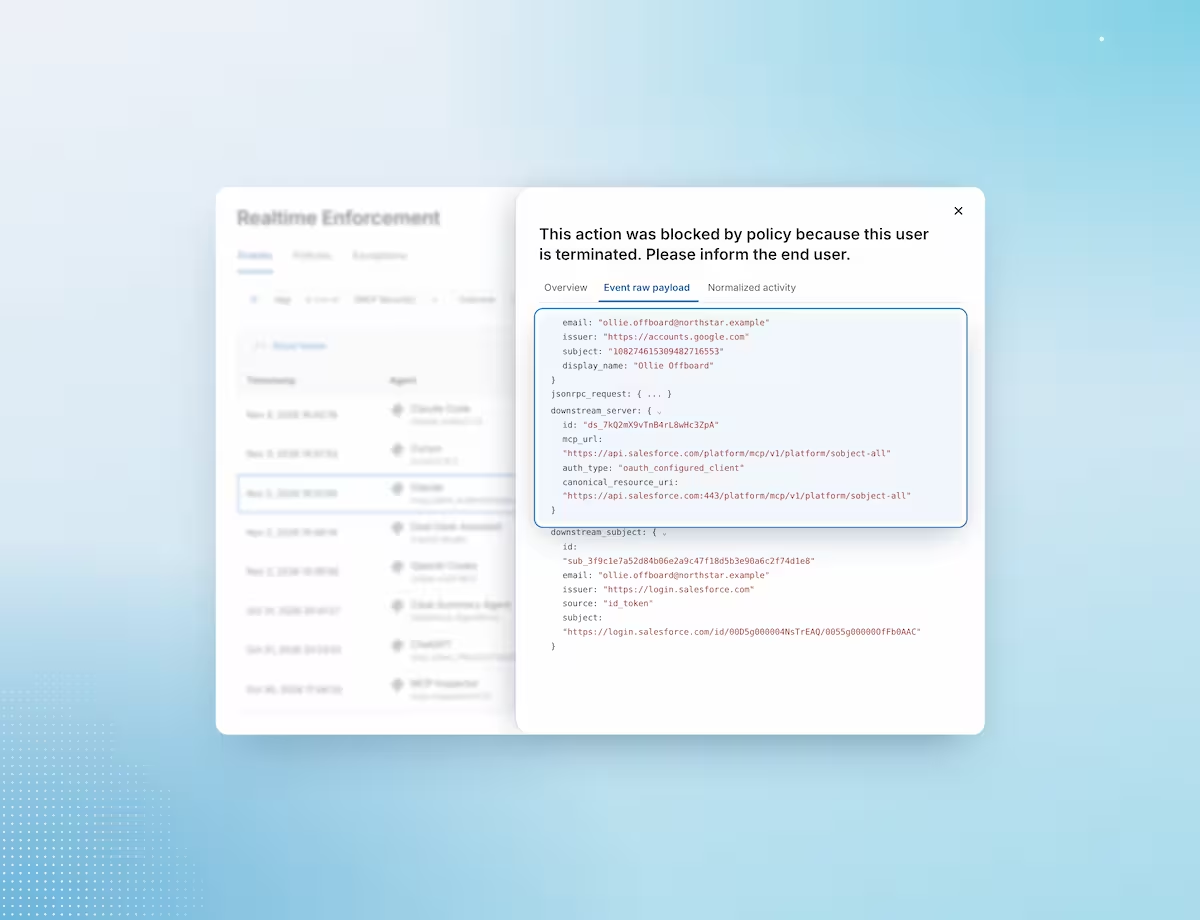
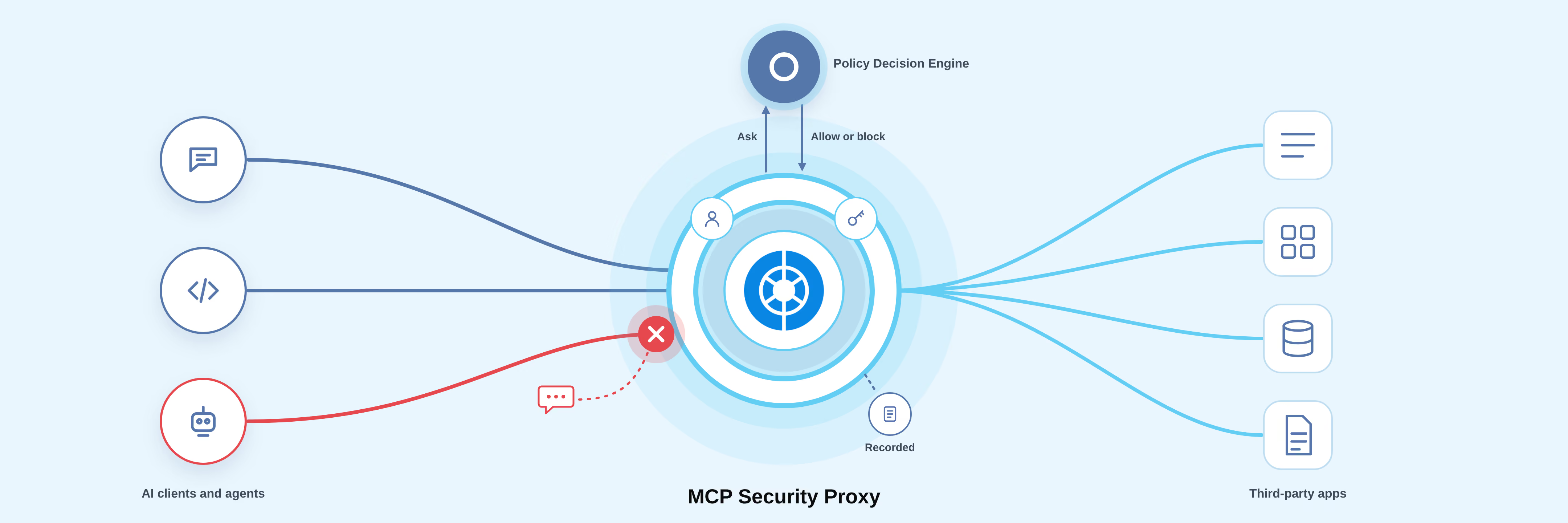
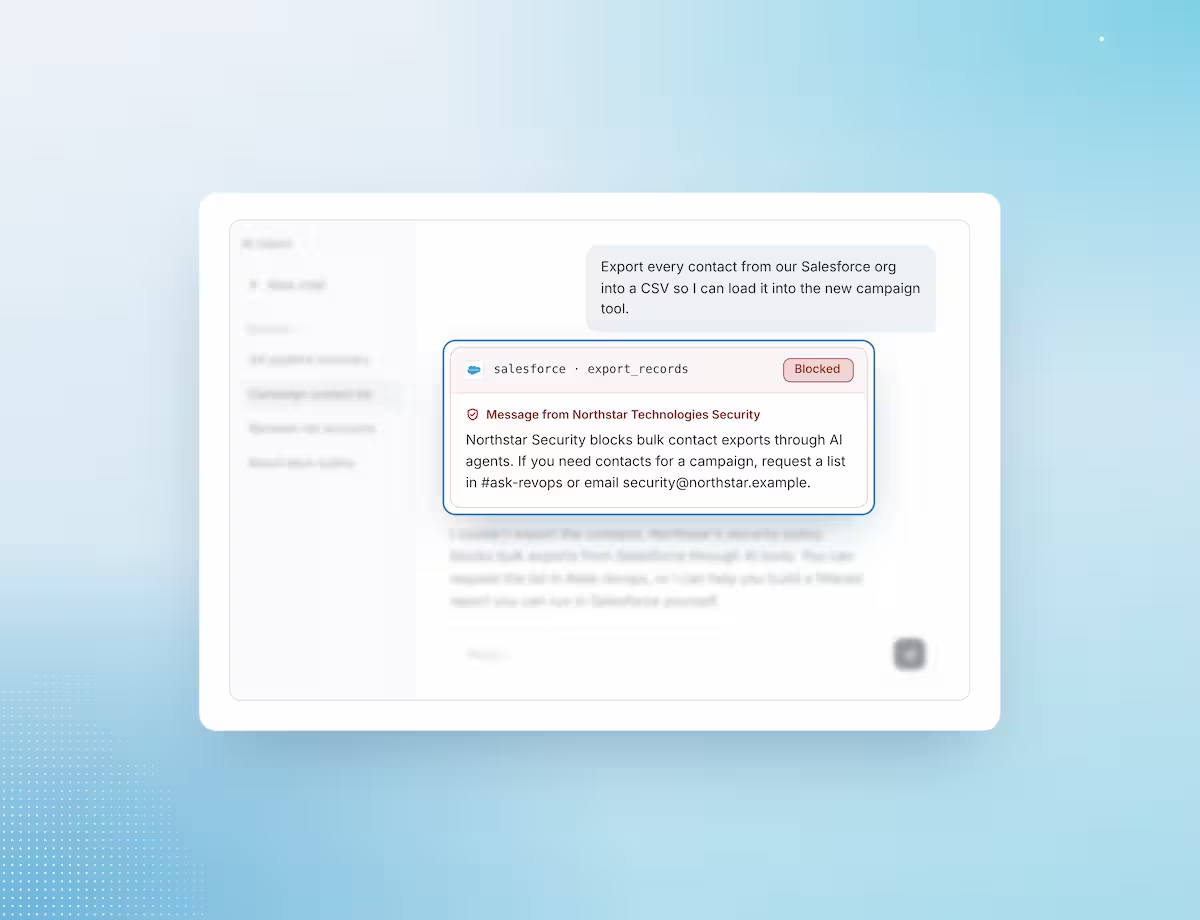
The proxy evaluates MCP traffic at each step of a session: which app the agent can reach, which records it can list, and each tool call it makes. When a call is blocked, the agent shows the user a message your security team wrote, so the person knows why it stopped and who to contact.
  • Decide which AI clients can connect to each app.
  • Allow or block each tool call before the proxy forwards it to the vendor’s MCP server.
  • Show the user a message from your security team when a call is blocked.

Know which person and which app tenant are behind each agent session

The proxy maps each MCP session to the person who started it, their account in the app, and the specific workspace, org, or instance the session reaches. A user with access to two Salesforce orgs is routed to the right one, and your team can tell which one it was.
  • Identify the person behind an agent session, in addition to the client software they use.
  • Resolve the specific tenant for each session, including for users with access to more than one.
  • Match each session to the app accounts Obsidian already monitors.

Keep app tokens out of AI clients and agents

Each user authorizes the app through the vendor’s own consent flow, and the AI client receives a proxy-issued token in place of the app’s access token. The app credential never sits in the client’s configuration, and agents act with the permissions that user already holds in the app, with nothing added.
  • Users connect through the app vendor’s own consent screen.
  • Sessions stay within what that user can already access, with no shared service account.
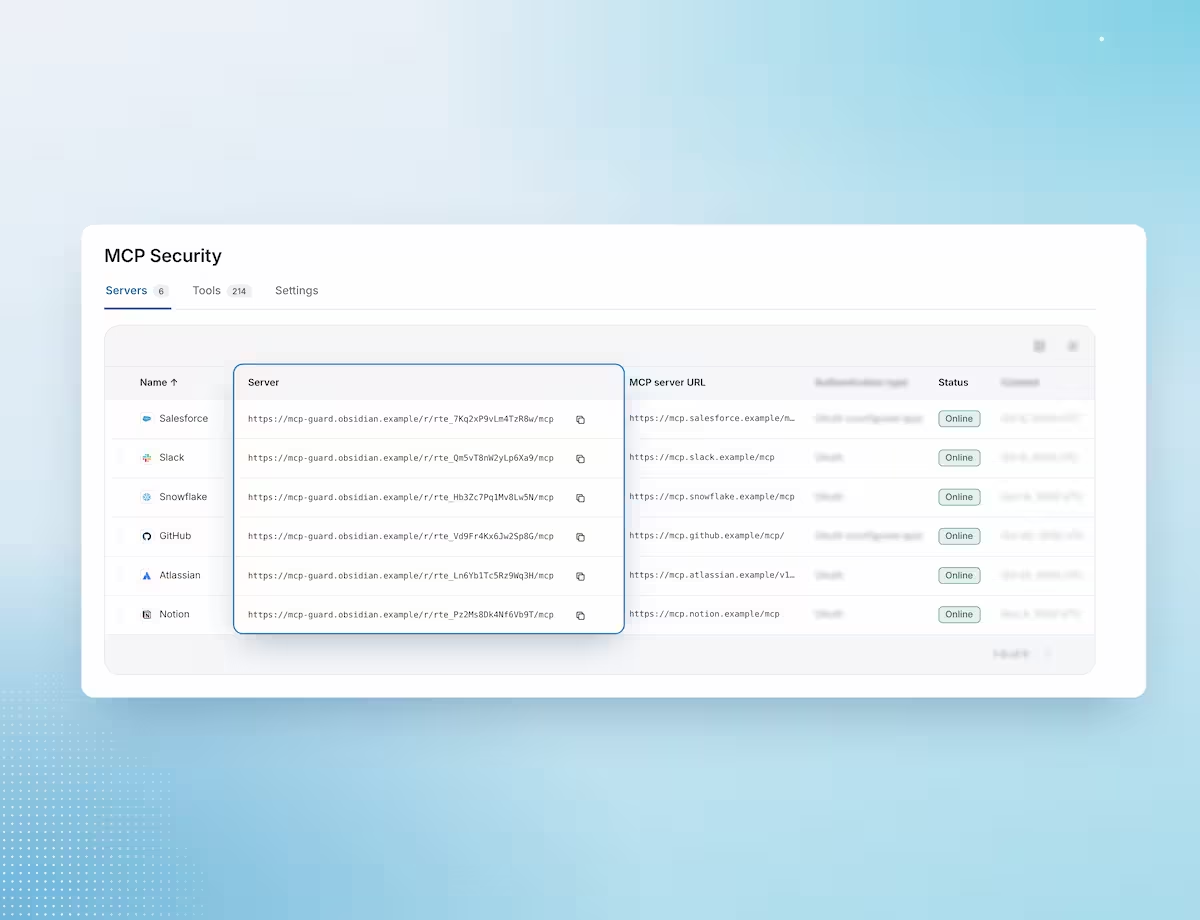
  • Governed endpoint URLs use an opaque route ID that reveals no customer, tenant, or app details.

Keep a record of each MCP session and tool call your agents make

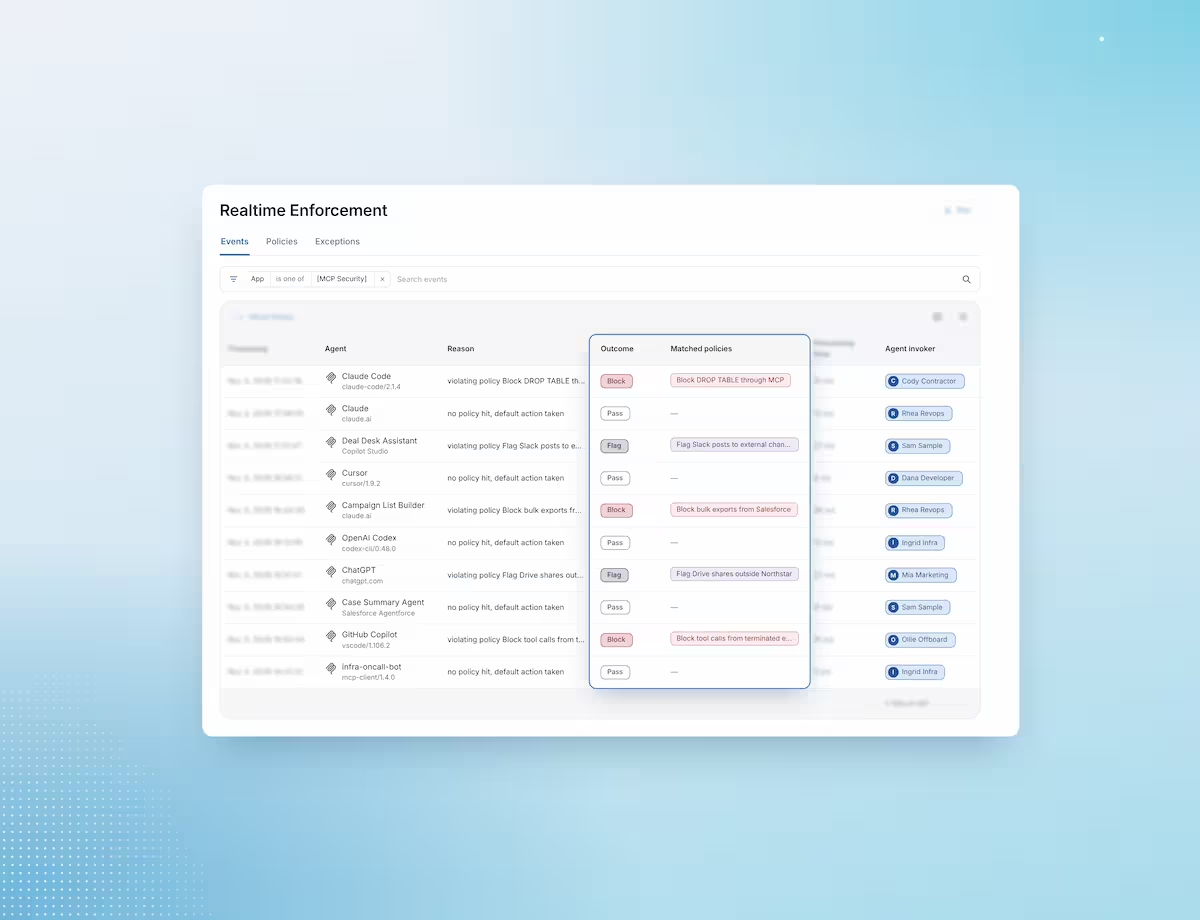
The proxy records each MCP session and the tool calls requested in it, attributed to the person and the app tenant. Your team can investigate an incident, review how agents use an app, and tune policy from that record.
  • See each session and tool call, with the app and tenant it reached.
  • See the person behind each request.
  • See whether each call was allowed or blocked.

Put the proxy in front of an app’s MCP server in four steps

1 Point AI clients at a governed endpoint

An admin replaces the vendor’s MCP URL with an Obsidian-governed endpoint for that app.

2 Users authorize the app once

Each person signs in through the vendor’s consent flow, and the proxy maps the session to their app account and tenant.

3 The proxy checks each request

Before it forwards a tool call to the vendor’s MCP server, the proxy gets an allow or block decision from the Obsidian Policy Decision Engine.

4 The decision is applied and recorded

Allowed calls reach the app, blocked calls stop with a message to the user, and each request is recorded.

Downstream agent connections to the apps your business runs on

Atlassian
Contentful
Contentful
Databricks
GitLab
Google Drive
Notion
Salesforce
Sentry
Slack
Snowflake

The proxy applies decisions from the Obsidian Policy Decision Engine

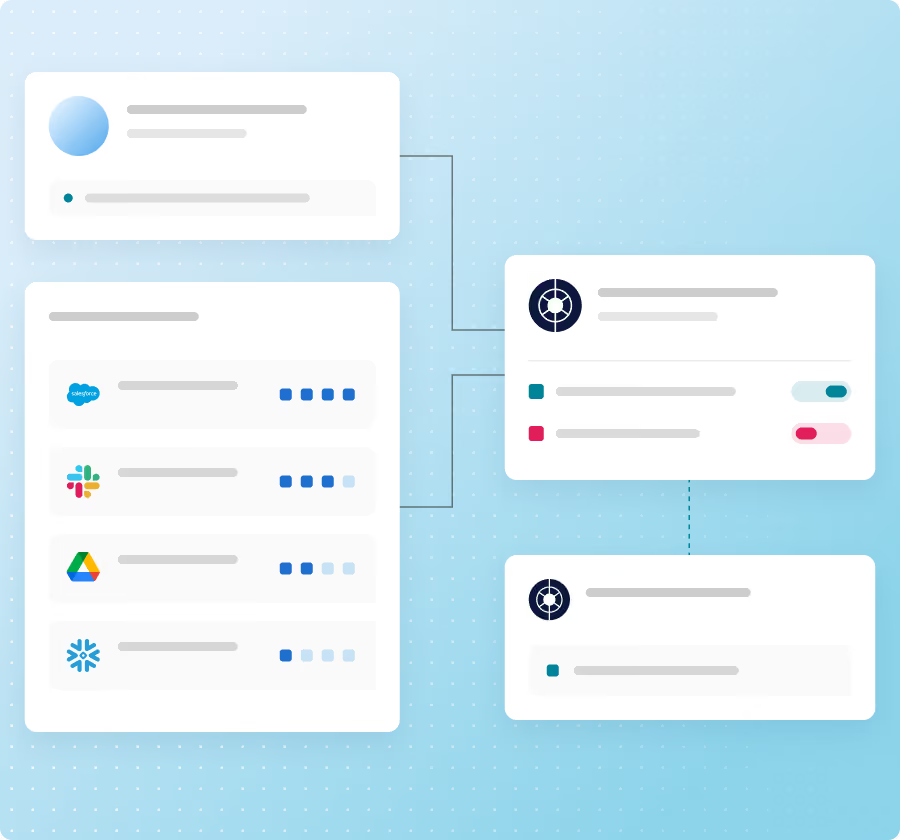
The Policy Decision Engine decides whether each agent request is allowed, and the MCP Security Proxy applies that decision before the request reaches the app. The engine draws on what Obsidian already knows about your users, which third-party apps, including which accounts each person holds, and what they can do in each app.
Already run an MCP gateway?

Keep it. Your gateway can request the same decisions from the Policy Decision Engine through the Policy Decision API. Use the MCP Security Proxy when you want Obsidian to host the governed endpoint for each app.

Frequently asked questions

Which AI clients work with the proxy?

Any AI app or agent that connects to MCP servers. Users point the client at the Obsidian-governed endpoint in place of the vendor’s MCP URL.

What happens when the proxy blocks a tool call?

The call doesn’t reach the app, and the agent shows the user a message your security team wrote for that policy.

What is a direct MCP connection, and why is it a risk?

A direct connection is one in which an AI client talks to a vendor’s MCP server without passing through the proxy. The app token sits in the client, and control of each tool call is limited to what the vendor’s endpoint provides.

What is a governed MCP endpoint?

It’s the Obsidian-provided MCP URL that an AI client uses in place of the vendor’s MCP endpoint. Governed endpoint URLs use an opaque route ID, so the URL reveals no customer, tenant, or app details.

What is tenant awareness, and why does it matter for MCP?

A tenant is a distinct environment within an app, such as a Salesforce org or a Slack workspace, and a person may have access to more than one. Tenant awareness means the proxy knows which one a session reached, so policy and the activity record reflect where the agent acted.

We already run an MCP gateway. Do we need the proxy?

Not necessarily. Your gateway can request decisions from the Policy Decision Engine through the Policy Decision API. The proxy is for apps where you want Obsidian to host the governed endpoint.

Can we use the proxy with an MCP portal?

Yes. An MCP portal presents several MCP servers behind a shared endpoint. To keep Obsidian enforcement in place, connect the portal to Obsidian-governed endpoints rather than directly to vendor MCP servers.

How is this different from the Obsidian MCP Service?

The Obsidian MCP Service exposes Obsidian’s own tools to your AI agents. The MCP Security Proxy controls your agents’ connections to third-party MCP servers.

Additional resources

Give employees MCP access to your apps, with each agent tool call checked first

Get a Live Demo