AI Agent Security for OpenAI Codex

Check Codex tool calls before they run

See which Codex agents your developers run and what they can reach, then check each tool call against your policy before it runs.

Trusted By

Codex runs with your developers’ access to code, data, and production systems

Codex runs on the credentials of the developer or account behind it, admin access included. It can reach anything that account can, approved or not.

Codex agents without guardrails

With Obsidian

Risky moments happen mid-session

A destructive command, a secret pasted into context, or a file read far outside the project can land before anyone reviews it.

Shadow agents spread without review

Developers connect Codex to company apps and MCP tools on their own, so those agents act without any security decision.

Sensitive data leaves through unsecured agents

Codex can read a .env file or private key into its context, and a connected MCP server can carry that data into another app.

Each Codex tool call is checked against your policy before it runs.

Unsanctioned apps and MCP servers are found, and calls to them can be blocked.

Codex follows the same policies you set for Claude Code, Cowork, and Microsoft Copilot.
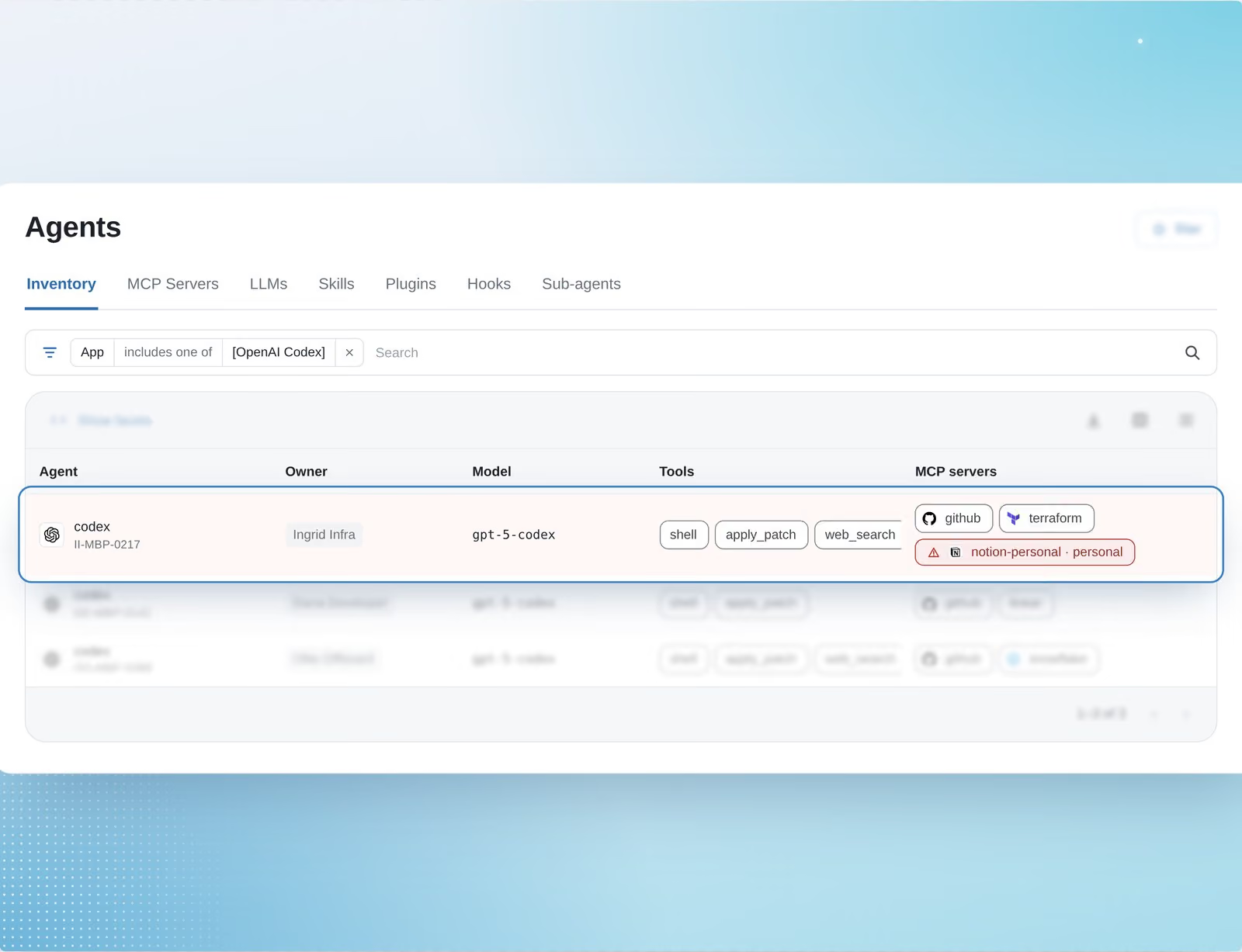
Find over-privileged Codex agents. Check each action they take.

Keep Codex agents inside the tools you’ve approved

See the tools your Codex agents connect to, and block calls to the ones you haven’t approved.
Inventory of the models, tools, and MCP servers your Codex agents use
Findings for personal or local MCP servers your Codex agents connect to, and policies that block calls to them
MCP Security Proxy for supported apps, which identifies the user, keeps the app’s token out of the AI client, and checks each tool call against policy

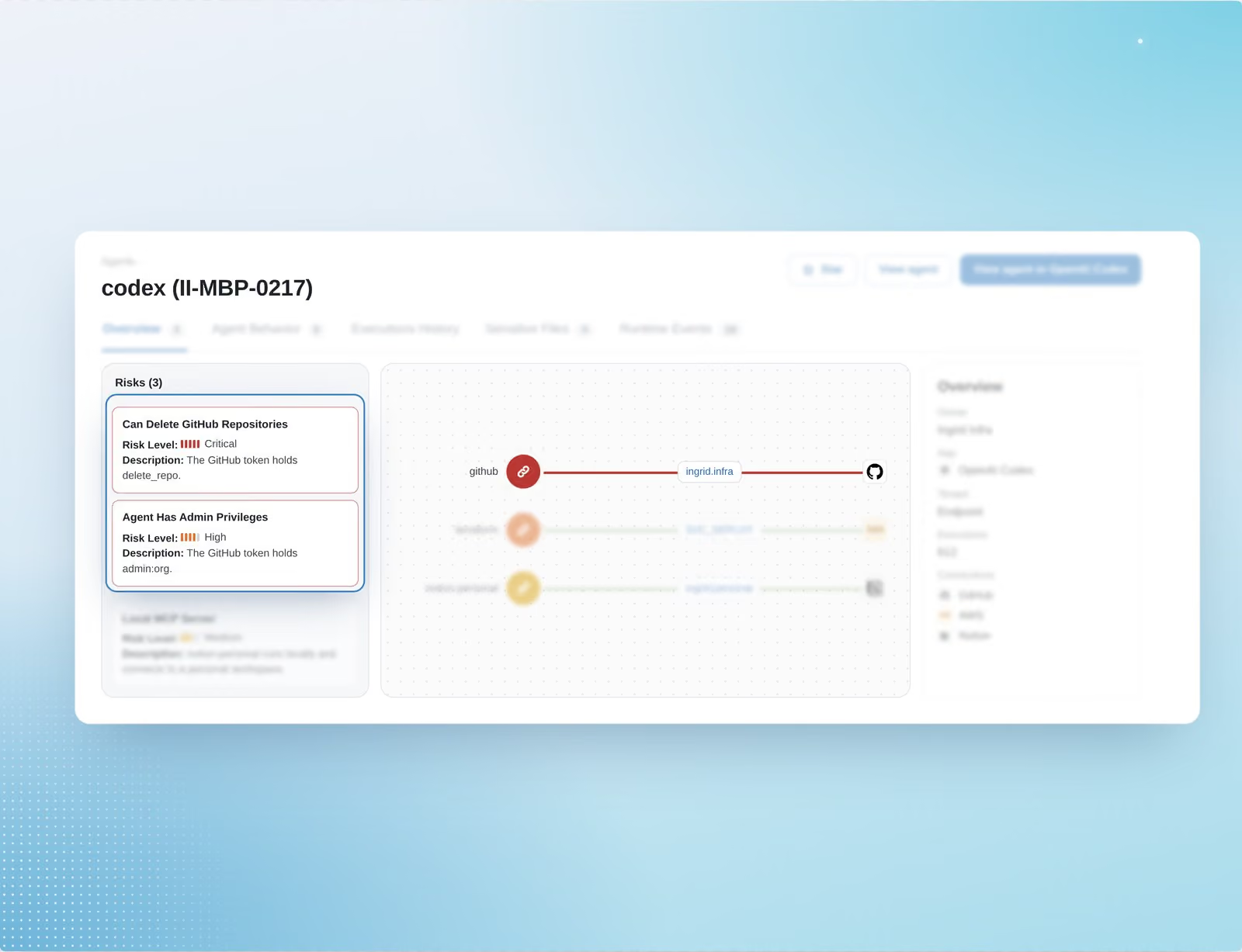
See which accounts Codex can use to delete your repositories

See which Codex agents hold more access than their work needs, so you can scope them back.
Findings for Codex agents that can delete repositories or hold admin privileges
Risk factors scored by criticality, so you know what to fix first

Stop risky Codex actions before they run

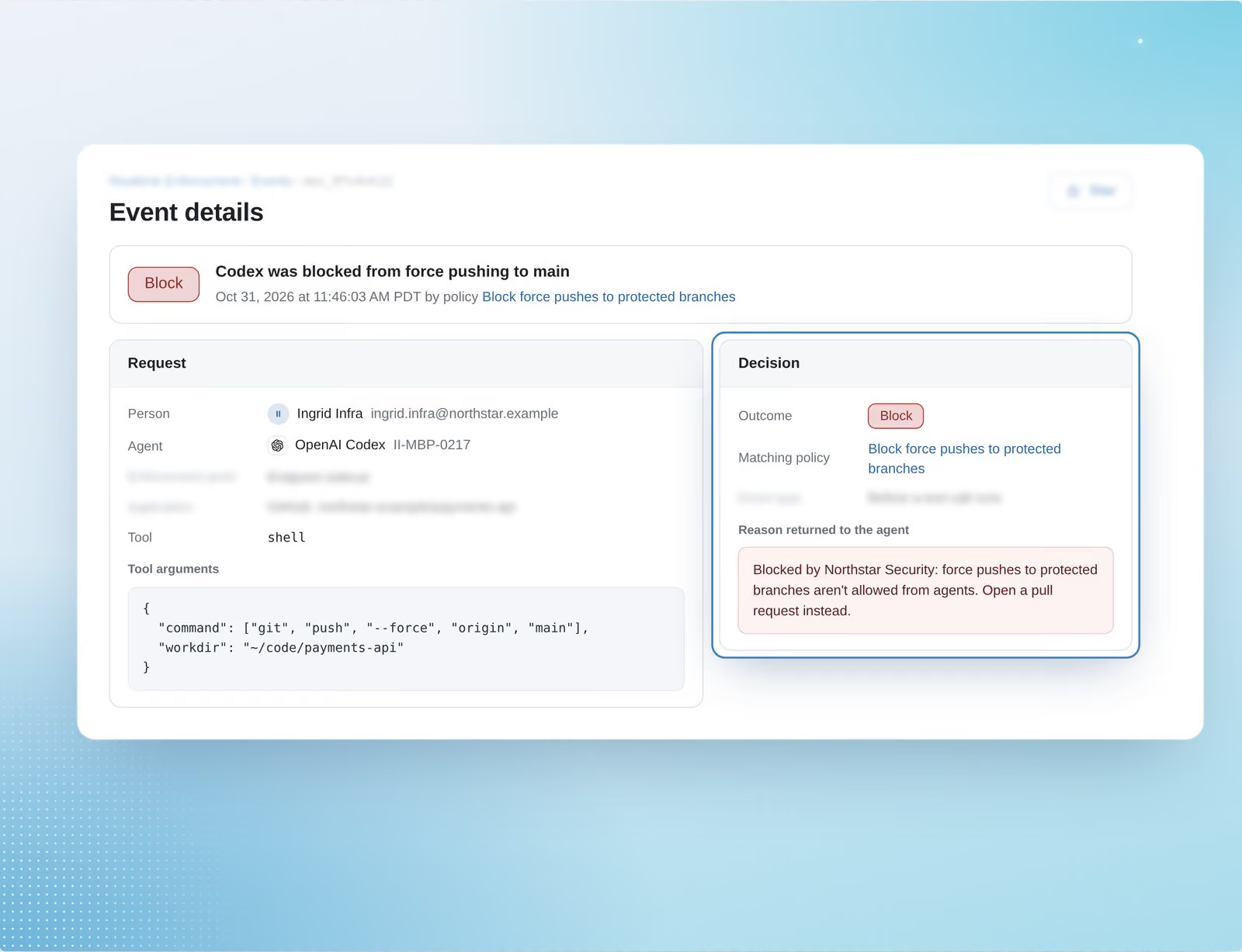
A sidecar checks each Codex tool call against your policy before it runs. Choose which users, agents, and actions a policy covers, and test it with Flag first.
Flag or block for each matching tool call
A record of each decision with the agent, the person behind it, the command, the matching policy, and the reason

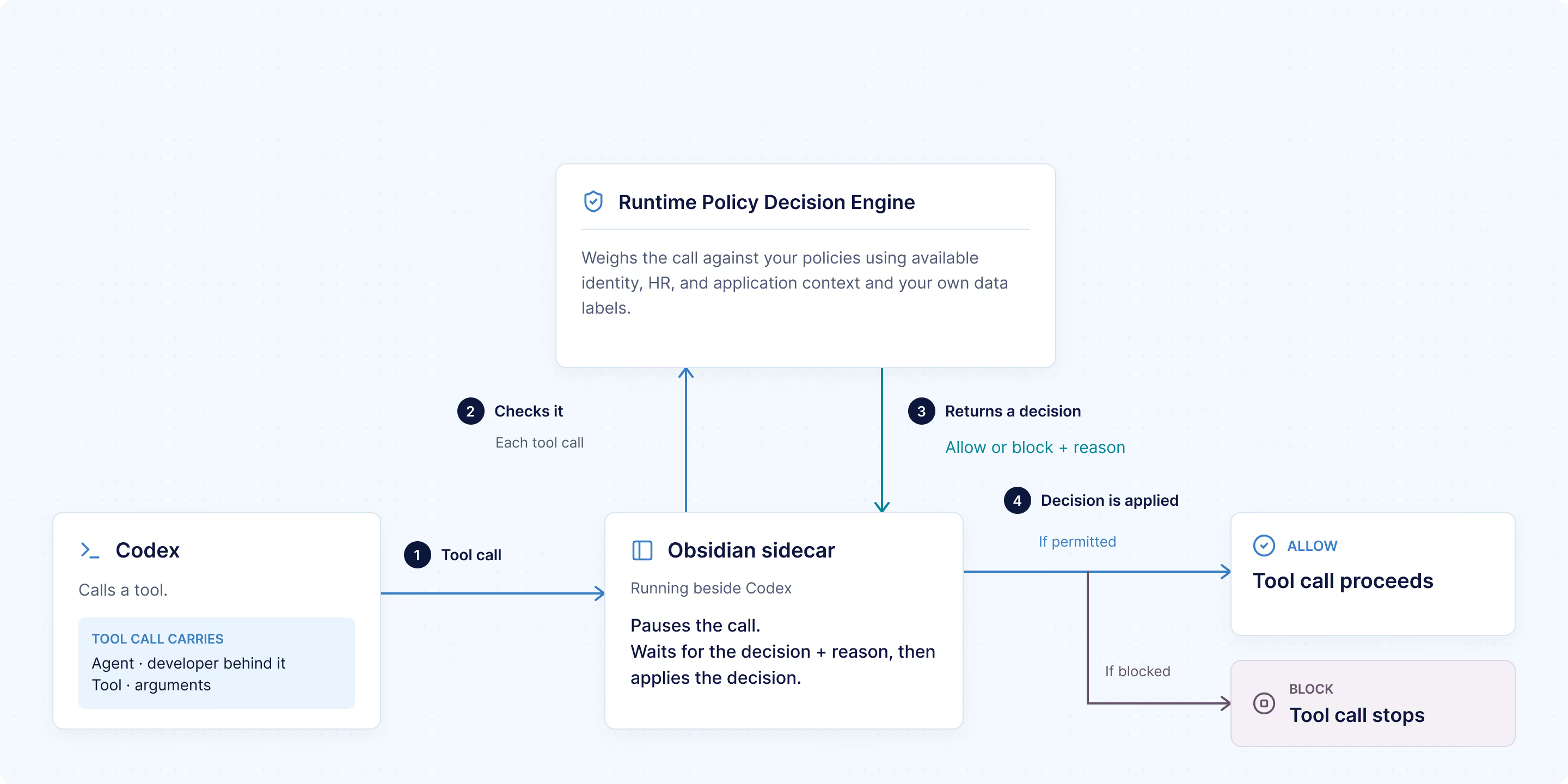
What happens when Codex calls a tool

Codex calls a tool

An Obsidian sidecar running beside Codex pauses the call. The call carries the agent, the developer behind it, the tool, and its arguments.

The Runtime Policy Decision Engine checks it

It weighs the call against your policies using available identity, HR, and application context and your own data labels.

The engine returns a decision

Allow or block, along with the reason. A call that matches no policy proceeds, and a policy in Flag mode records the match without stopping the call.

The decision is applied

The tool call proceeds or stops, and the decision is logged with the agent, user, tool, arguments, and policy.

Where Codex agent actions slip past your existing controls

Codex agents act through MCP, OAuth, and direct integrations, and each of your controls sees only part of the action. Obsidian keeps those controls and adds one decision that sees the whole chain: person, agent, credential, tool, app, and data.

CodAgent actions often skip network gatewaysing agents

Codex reaches apps through OAuth, APIs, and MCP servers. The sidecar, the MCP Security Proxy, or your own gateway through the Policy Decision API applies Obsidian’s decision there.

Identity authorizes access, not actions

A valid login says who can get in, not whether an action should run. Obsidian adds identity and employment context, so a login alone doesn’t decide whether an agent drops a production table.

Approved tools still take damaging actions

Codex can use an approved tool and still force-push over main. Obsidian checks the command itself, not just whether the tool is allowed.

Rules copied into each tool drift apart

Each agent platform, MCP connection, and gateway needs its own copy of a rule, and some have no runtime check. Obsidian applies one set of policies at each enforcement point it supports.

Additional resources

Frequently asked questions

What does Obsidian cover for Codex?

Discovery, risk analysis, and runtime enforcement. Obsidian finds Codex agents and the tools they use, flags excessive access, and checks each tool call through a sidecar that runs beside Codex.

What outcomes can a Codex policy return?

Flag or block. Flag records a match without stopping anything, so you can test a policy on real Codex traffic before you enforce it. A tool call that matches no policy proceeds. Require approval is available only where the enforcement point supports it, which today means Claude Code policies that run before an operation.

Can we use the same policies for Codex and Claude Code?

Yes. Security teams apply the same policies to Codex, Claude Code, Cowork, and Microsoft Copilot from one console, and developers keep the coding tools they prefer.

Does Obsidian replace OpenAI’s built-in controls?

No. Obsidian works alongside them. It narrows the access Codex agents hold across your apps and checks the actions that remain against your policies.

How does Obsidian handle Codex agents that reach apps through MCP?

Obsidian inventories the MCP servers your Codex agents use and flags unsanctioned ones. For supported apps, the MCP Security Proxy identifies the user, keeps the app’s token out of the AI client, and checks each tool call against policy.