Secure your Microsoft 365 environment with Obsidian’s free risk assessment.
Secure Today

One governance layer for every Copilot agent

Microsoft Copilot agents are multiplying across your organization. Get the governance to match.

Shield graphic representing Obsidian SaaS Security Posture Management (SSPM) solution

Why your teams are using Microsoft Copilot

Your data already lives in Microsoft 365. Copilot puts it to work: automating workflows, surfacing insights, and handling tasks so your teams can focus on what matters.

Automate complex workflows

Orchestrate multi-step tasks like document summarization, meeting follow-ups, email triage, and HR requests, all within your existing M365 environment.

Accelerate delivery

Use Copilot agents to draft content, surface insights, and streamline approvals so teams spend less time on repetitive work and more time on what matters.

Empower the workforce

Let business users build and deploy agents without writing a single line of code, no engineering backlog required

You trusted Copilot with your data. Do you know what it’s doing with it?

Every Copilot agent inherits user permissions and operates across your M365 environment Without visibility into what they're doing, risky actions and data access go undetected until it's too late.

Inherited permissions create hidden exposure

Copilot inherits user permissions, often retaining excessive or outdated access even after roles change.

Shadow agents spread without oversight

Teams spin up agents without central oversight, leaving ownership and permissions untracked.

Sensitive data leaves through connected apps

Attackers or insiders can direct Copilot to pull sensitive information from connected SaaS apps.

Ungoverned agents take damaging actions

A Copilot agent wired to SharePoint, Exchange, or a business-critical app with read/write access can delete files, exfiltrate data, or execute unauthorized transactions with no guardrails to stop it.

Copilot’s native controls can’t cover every vulnerability

Microsoft surfaces your agents but can’t show you every risk, leaving security teams blind to unauthorized tool calls, excessive permissions, and unsanctioned cross-service actions.

Siloed visibility across tenants

No single view of which agents, MCP servers, and models are running across your tenants.

No single control plane

Native logs weren't built to capture risky tool calls and cross-service actions, especially from agents running outside Copilot on platforms like Claude.

Over-permissioned agents

Agent permissions are scattered across every app they touch. Without a unified view, you can't know your true exposure until something goes wrong.

Privilege escalation

Agents act on behalf of users but aren't always bound by the same limits. Without a full identity graph, you won't know when an agent quietly exceeds the access its user was granted.

Control every Copilot agent from a single governance layer

Map, monitor, and manage your agents with a single governance layer.

Inventory every Copilot agent

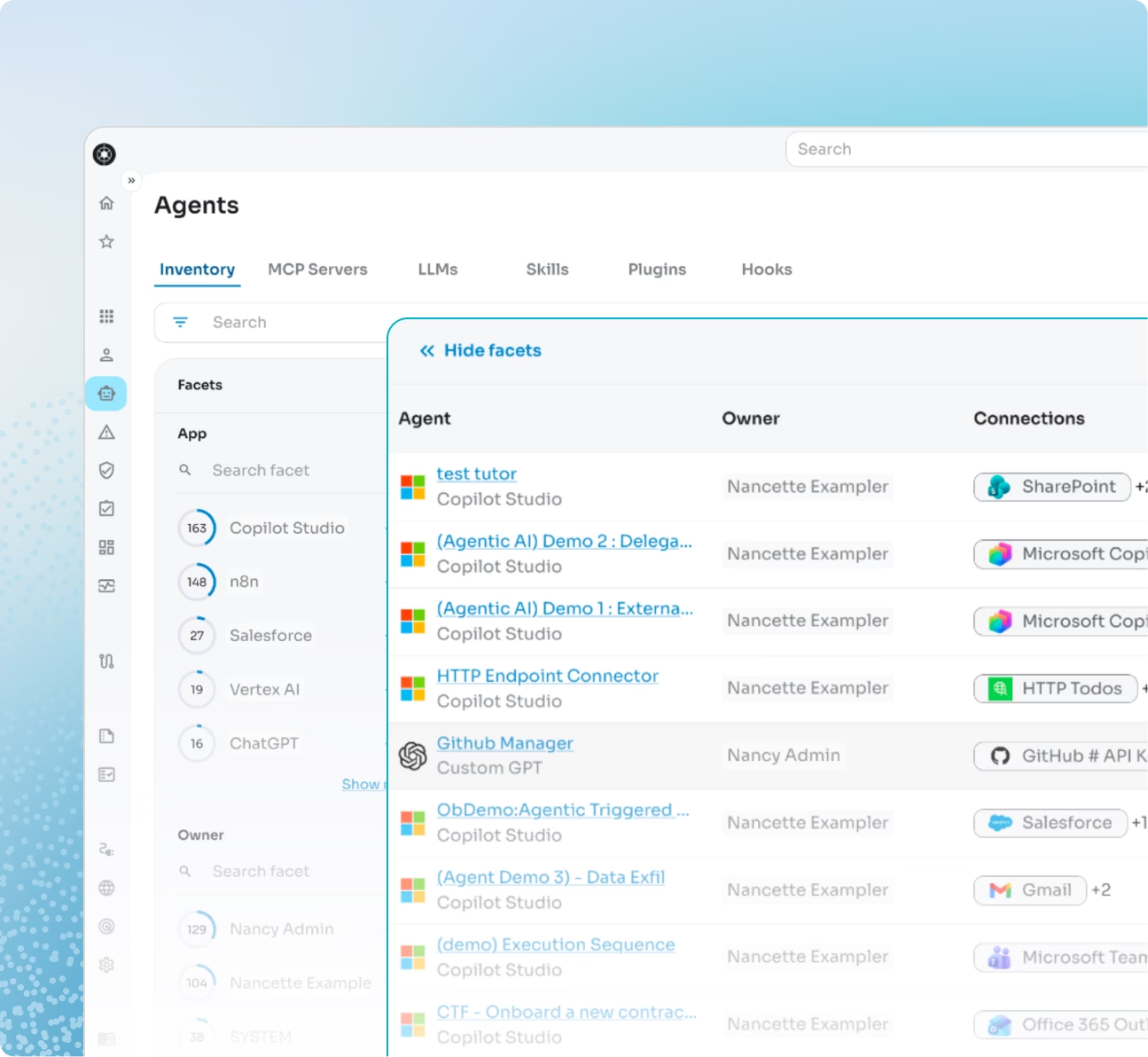
Maintain a continuous system of record for every agent, including the MCP servers they invoke, the LLMs behind them, the applications they connect to, and the privileges they hold.


Key benefits:
  • Shadow AI and auditability: Find unsanctioned agents including their connections and executions.

  • Consolidate every agent: Map agents and their risks no matter the platform they are built on.

Dashboard listing Microsoft 365 Copilot agents, their SaaS connections, associated risks, and owners.
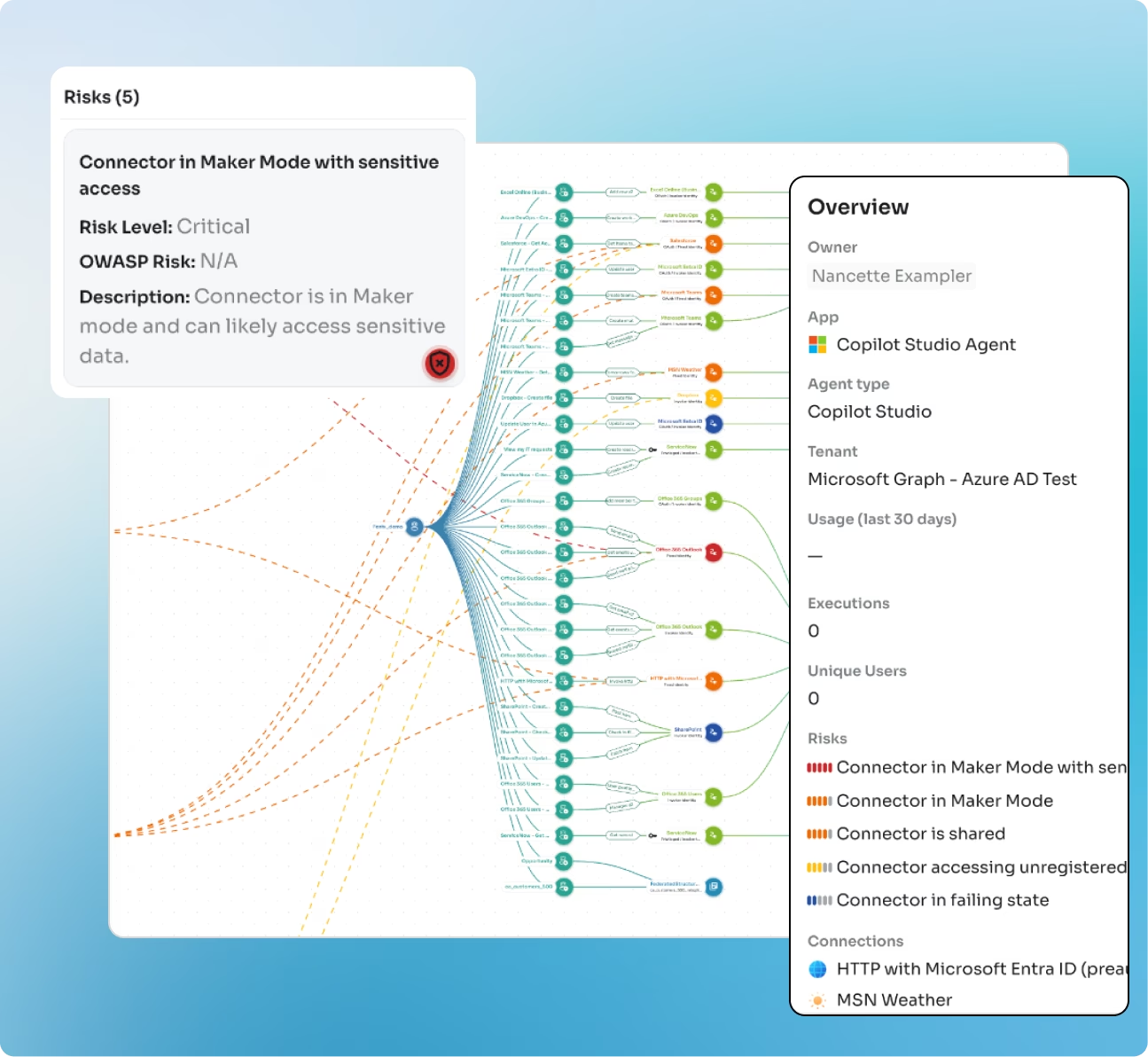
Graph view of Microsoft 365 Copilot agents connected across SaaS apps and workflows.

Real-time risk assessments for your agents

Know which agents are risky before they cause damage. Obsidian automatically maps everything an agent can access and flags the ones that pose the biggest threat, so your team always knows where to focus.


Key benefits:
  • Secure new agents by default: Automatically assess new and updated agents for risky scopes and unsafe tool chains.

  • Prioritize your security: Sort risks by criticality to consistently govern agents across every AI platform your teams deploy.

Reduce excessive agent access

Most tools show you what permissions an agent is configured with. Obsidian shows you the agent’s actual activity. Using the Identity Graph, Obsidian correlates agent configurations with real entitlements across every connected application, surfacing toxic combinations, cross-app access paths, and standing privileges that create unnecessary blast radius.


Key benefits:
  • Right‑size permissions: Remove unused privileges without breaking workflows.

  • Protect sensitive systems: Limit agent access to only approved systems.

Dashboard listing Microsoft 365 Copilot agents, their SaaS connections, associated risks, and owners.
Graph view of Microsoft 365 Copilot agents connected across SaaS apps and workflows.

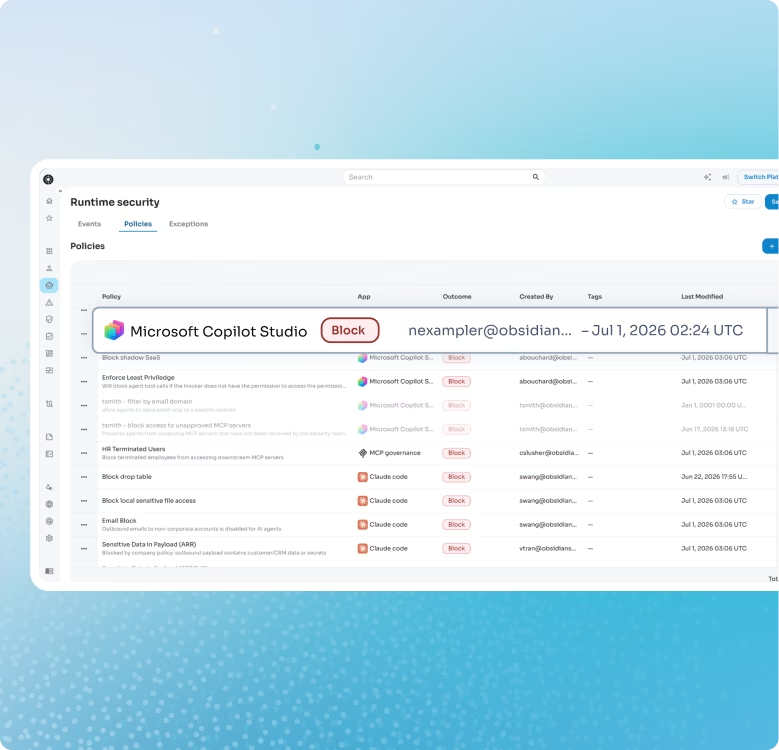
Block high-risk actions before the agent takes action

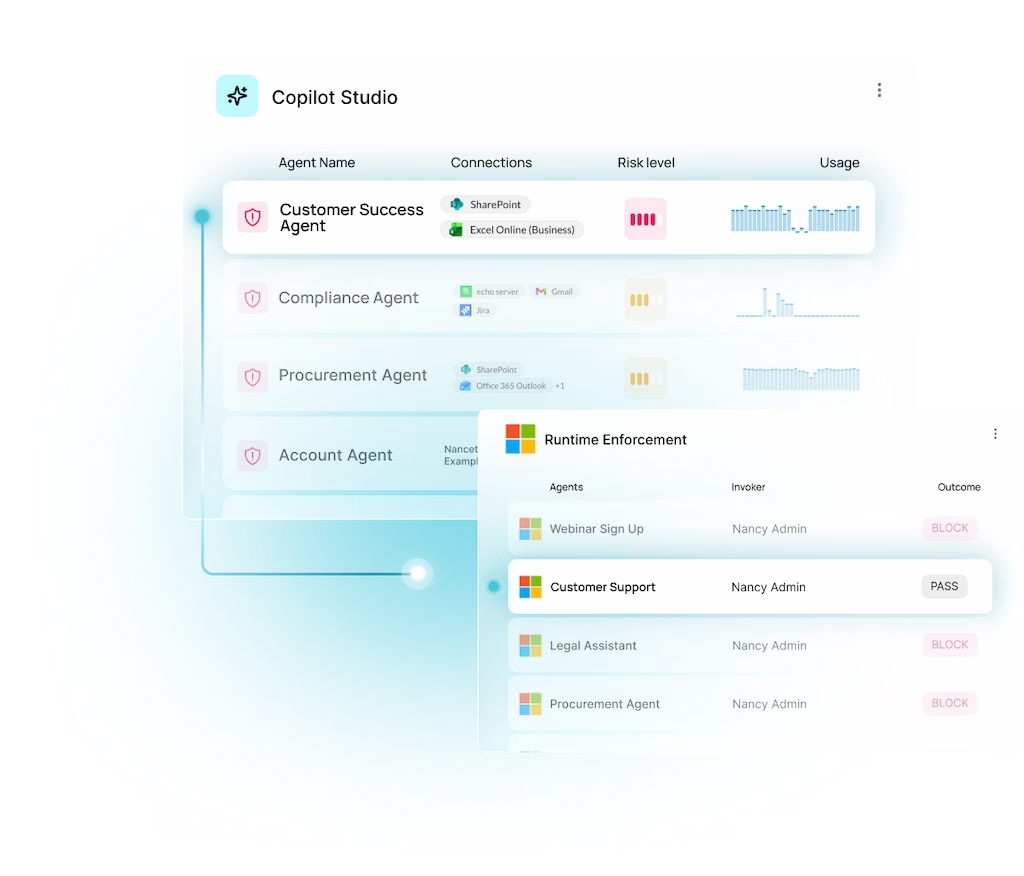
When a Copilot agent takes an action, Obsidian evaluates it in real time against predefined risk factors aligned to OWASP and your security policy. If the action violates policy, it is blocked at execution, not flagged after the fact.


Key benefits:
  • Stop incidents before they start: Enforce guardrails at runtime so executions are prevented, not retroactively reviewed.

  • Govern without friction: Block only what policy prohibits. Legitimate workflows continue uninterrupted.

Full chain audit logs for every agent

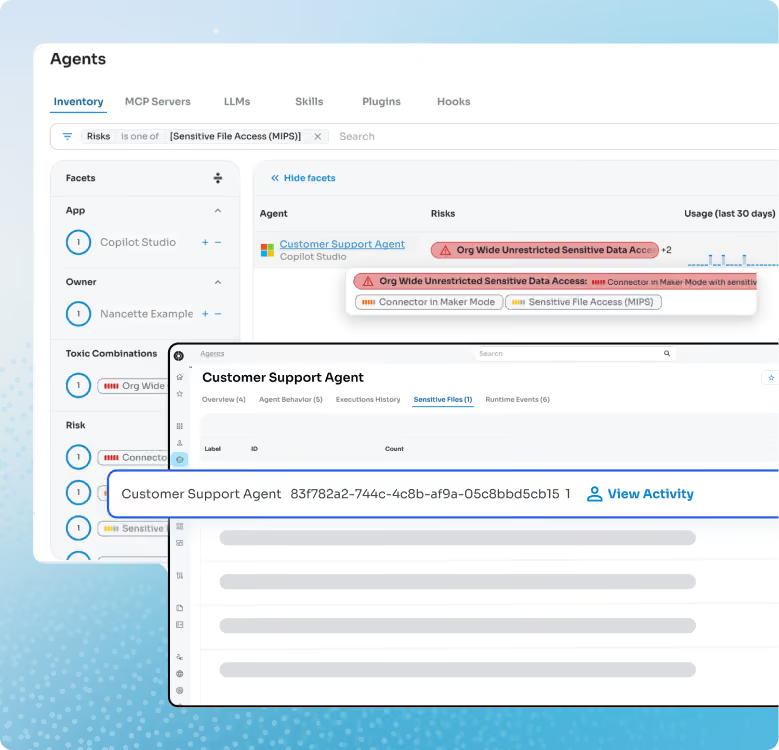
Obsidian gives security teams complete audit coverage across every Copilot agent: who is running it, what actions it took, what data it touched, and where those logs are unified for review. Turn audit findings into proof points instead of pressure points.


Key benefits:
  • Complete chain of custody: Trace every agent action from execution to outcome with unified logs ready for any internal or external review.

  • Demonstrate compliance: Show auditors and regulators that effective AI governance controls are operating consistently and aligned to emerging compliance requirements.

Dashboard listing Microsoft 365 Copilot agents, their SaaS connections, associated risks, and owners.