RUNTIME POLICY DECISION ENGINE

Control thousands of AI agents with one set of policies

Centralize AI agent policy and enforce it at runtime across coding agents, agent platforms, MCP connections, and the gateways you already run.
Trusted By

AI agent policies are missing or disjointed, and the gaps grow with every new agent

Each team picks its own agent tool, and each tool keeps its own copy of each rule, if it has one at all. Each copy sees only the request in front of it, not the person behind the agent or what that person can reach across your other apps.

Rules in each tool

With the Policy Decision Engine

Agents act with their user's full access

Some agent tools have nowhere to apply a rule, so each action runs unchecked.

Each agent action is checked against your policies before it runs.

Agents route around a blocked tool

Block sensitive data in one tool, and an agent reaches the same data through another.

Each agent tool follows the same set of policies.

Rules can't tell routine actions from risky ones

Tools can't see who the agent acts for, so security's only option is to block the whole agent.

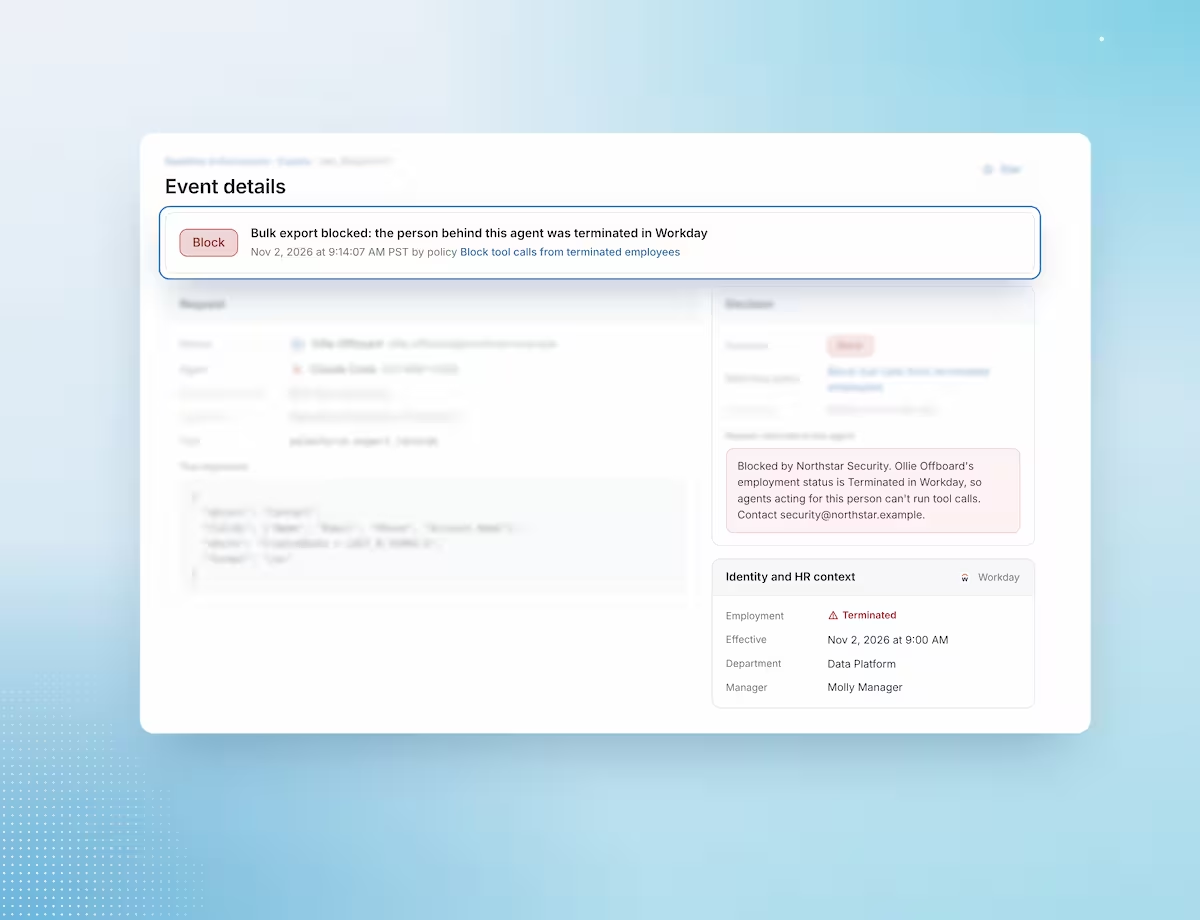
Each policy decision uses identity and HR context to separate routine actions from risky ones.

Enforce AI agent policies at runtime with the context to get each decision right

Keep AI agent policy consistent as teams adopt new agent tools

Stop rebuilding the same rule in each agent tool and gateway, and stop chasing copies that drift apart. When a team adds agents on a supported tool, the policies you already have cover them from the start.
  • One policy console for all enforcement points
  • Policies written against the agent ID
  • Starter templates for common risky actions

Tell a routine agent action from a risky one

Policies that know who the agent acts for, that person's employment status, and how your team labels its data can tell a routine action from a risky one. Each policy holds or blocks only the agent actions that match its conditions, and tool calls that match no policy proceed.
  • HR and identity context from Workday
  • Your own classification labels in policy conditions
  • Decisions scoped to specific users and agents

Roll out AI agent policies without breaking workflows, and prove they work

Test each policy against real agent traffic before it stops anything, so a new rule doesn't disrupt a team on day one. Each decision is recorded, so you can show auditors and your board which agent actions your policies stopped.
  • Flag mode for testing before enforcement
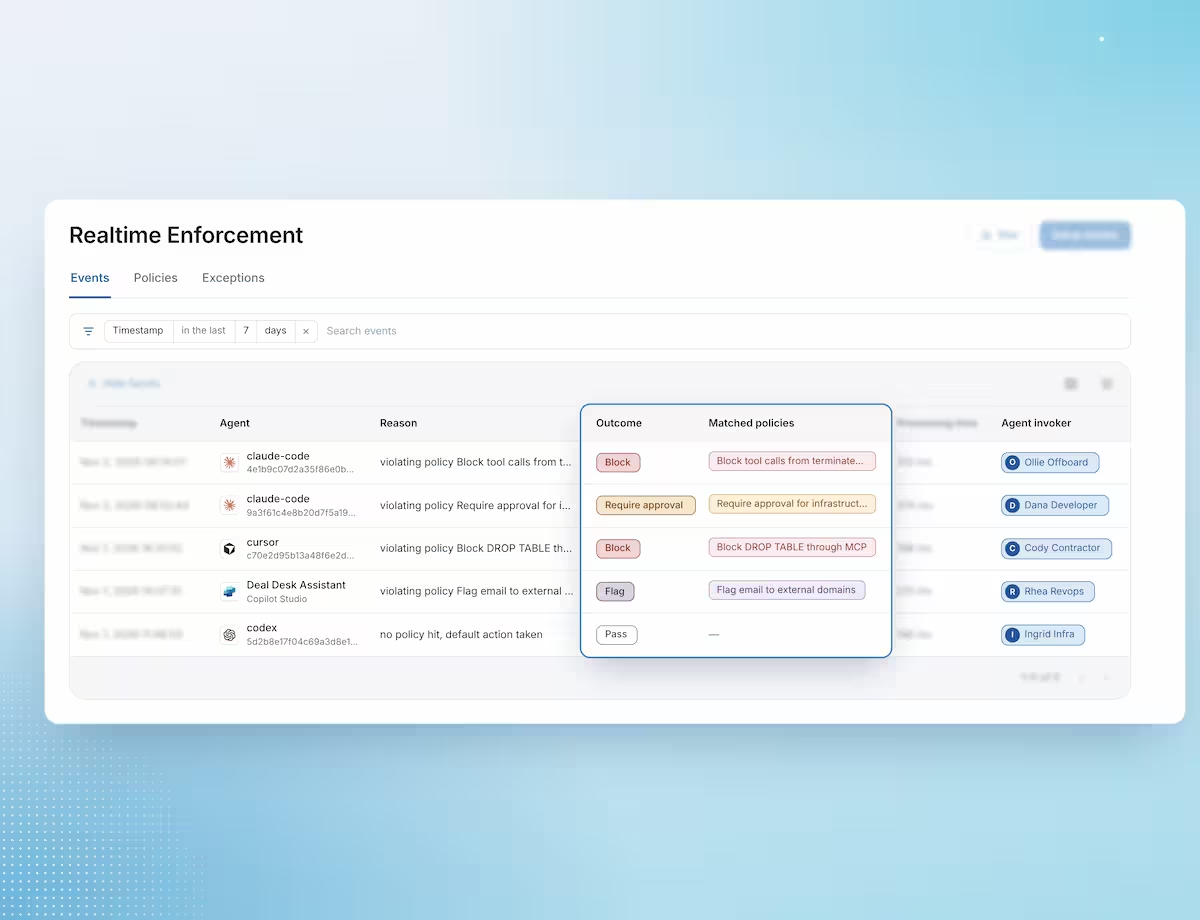
  • Allow, require approval, and block outcomes
  • Decision log with the agent, person, tool, and policy

How the Policy Decision Engine decides an AI agent action in four steps

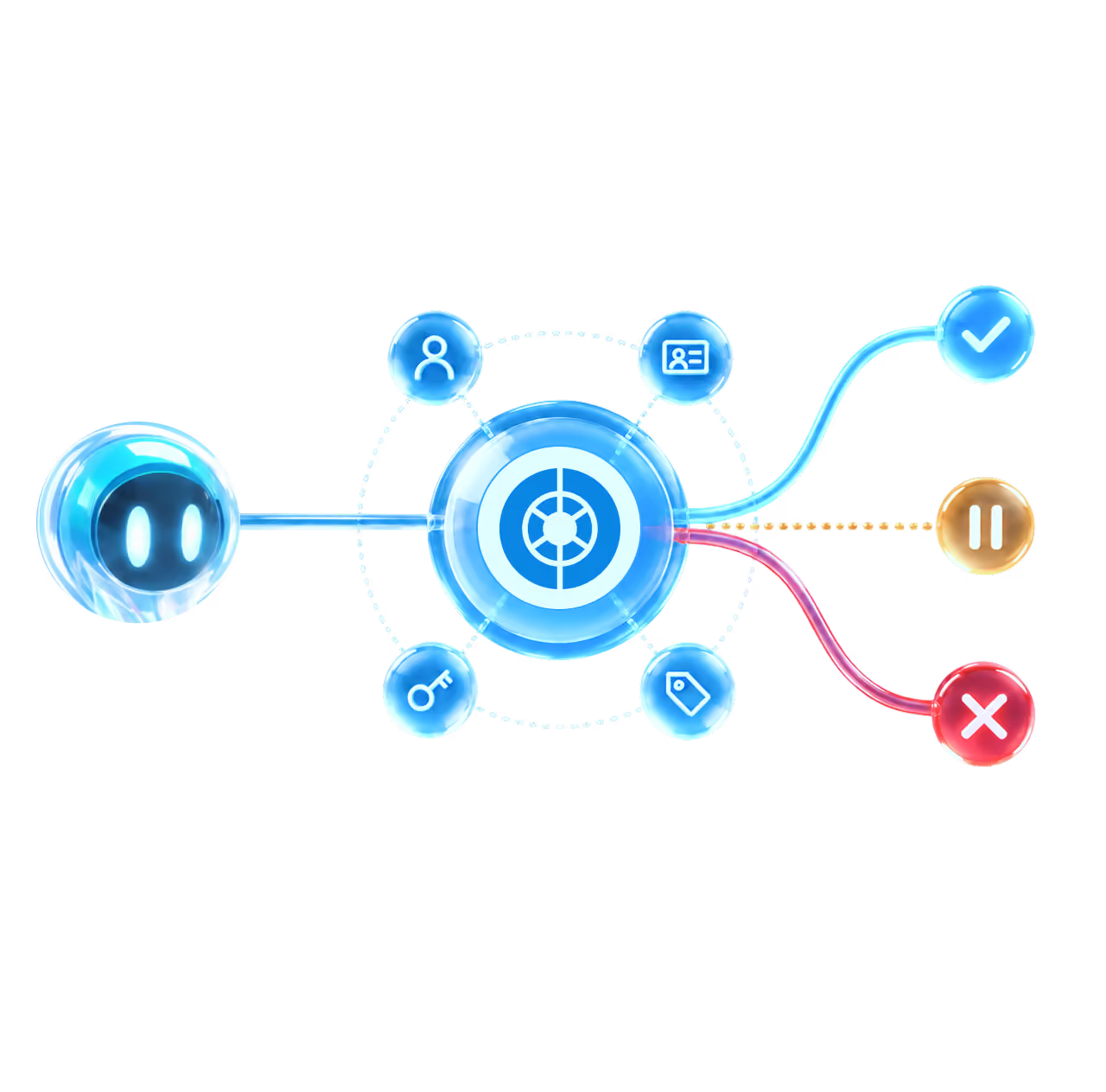
1 An agent calls a tool

The request carries the agent ID, the person behind it, and the tool call.

2 The enforcement point asks

It passes the action and sends the request to the Policy Decision Engine.

3 The engine decides

It checks your policies with Knowledge Graph context and returns a decision with a reason.

4 The decision is applied

The action proceeds, waits for approval, or stops, and the decision is logged.

Apply your policies where each team's agents run

Each team picks its own agent tools. Instead of a copy of each rule in each tool, every enforcement point gets its decision from the same policies.

Coding agents

A sidecar checks each Claude Code, Codex, or Cursor tool call before it runs.

Agent platforms

Copilot Studio calls the engine through a webhook before each agent action runs.

MCP Security Proxy

The Obsidian proxy checks each tool call from an MCP client before it runs.

Your own gateway

Your gateway calls the Policy Decision API before each agent action runs.

Cloudflare Partnership

Obsidian works with the Cloudflare MCP Server Portal to apply context-aware policies to AI agent access into third-party apps, through the Obsidian MCP Security Proxy.
Read about the partnership →

Additional resources

Frequently asked questions

Why can't we keep AI agent rules in each agent tool?

Each copy has to be rebuilt in that tool's format, and the work grows with each new agent tool your teams adopt. The copies drift as policies change, and some tools have no runtime check at all.

What outcomes can a policy return?

Flag, require approval, or block. Require approval is available today for Claude Code policies that run before an operation.

How do we test a policy before it affects agents?

Set the policy to Flag. It records matches on real agent traffic without stopping anything.

Do we need to replace our gateway or agent tools?

No. Your gateway can connect to the engine through the Policy Decision API.

How is the Policy Decision Engine different from the MCP Security Proxy?

The Policy Decision Engine decides whether an agent action is allowed. The MCP Security Proxy is one of the places that decision is applied, for agents that reach third-party apps through MCP.

How does runtime enforcement relate to AI agent discovery and governance?

Discovery finds AI agents and governance narrows their access. The engine decides what an agent does with the access it keeps.

Say yes to AI agents, with policy enforced at each action.

Get a Live Demo