Introducing runtime policy for OpenAI Codex
Decide what Codex does before it runs, using what Obsidian knows about the developer, their access, and your data.

Coding agents went from experiment to default in about a year. Codex now writes, runs, and ships code with the developer’s own access to repositories, databases, and production systems, and each command finishes in seconds. Most of what it does is routine. The risk sits in a handful of moments: a force push over main, a .env file read into context, or an MCP server that carries data somewhere it shouldn’t go.
Today, security teams are left with two poor options. They can block Codex and push developers toward tools security can’t see, or allow it and accept tool calls no one checks. Obsidian brings Codex into the same place you govern every other agent: see what it uses, narrow what it can reach, and decide each action before it runs.
Obsidian for Codex: discovery, access, and runtime policy in one place
Obsidian covers Codex with three capabilities that work together:
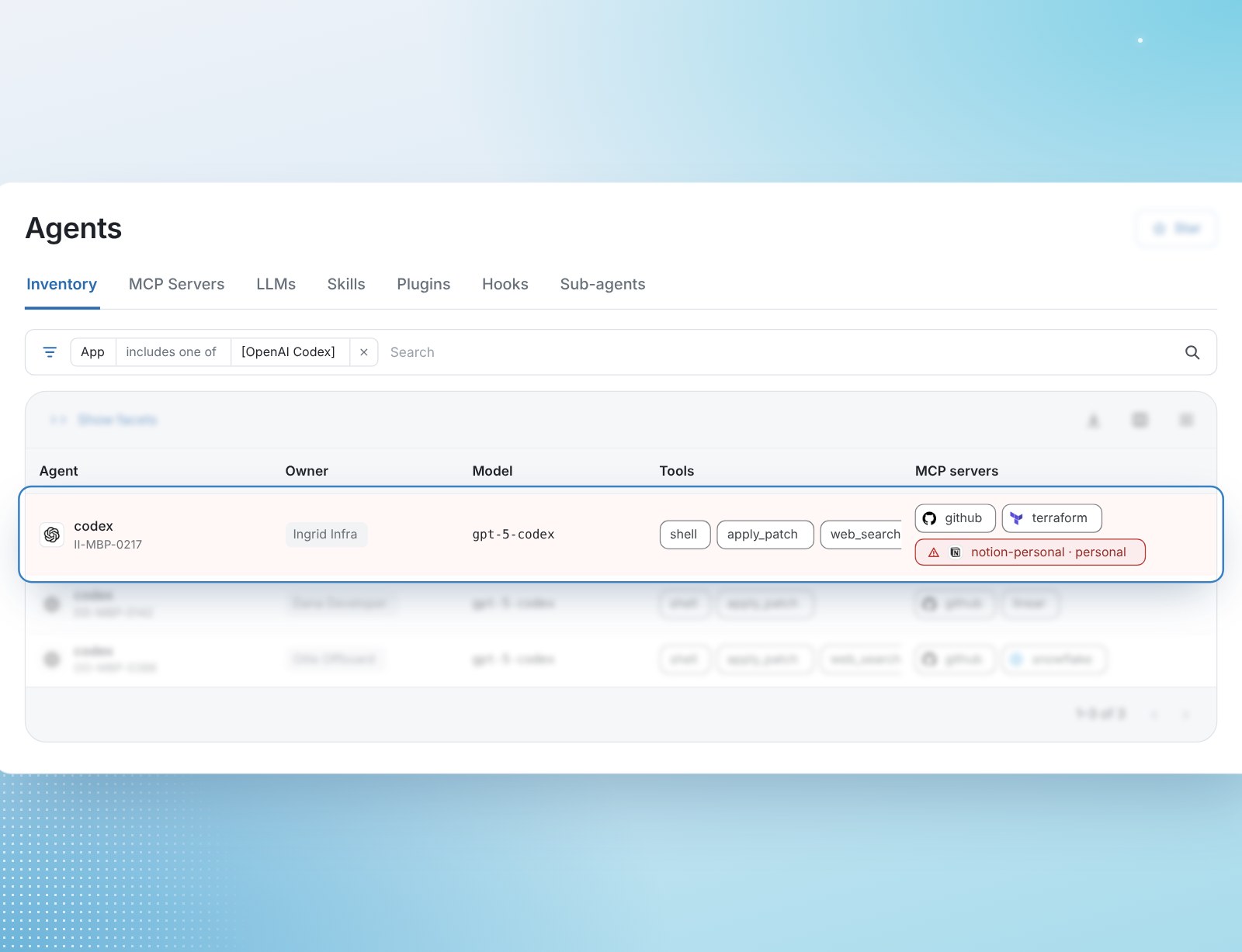
- Discovery: inventories the models, tools, and MCP servers each Codex agent uses, including MCP servers a developer has configured but not used yet, and flags personal or local ones.
- AI Access: reads your third-party apps’ audit logs to find where OpenAI is acting through a developer’s account, and flags accounts that can take destructive actions, such as deleting GitHub repositories.
- Runtime policy: an Obsidian sidecar checks each Codex tool call with the Obsidian Runtime Policy Decision Engine before it runs, and stops the ones that break your policy.
Runtime policy: decide each Codex action before it runs
The sidecar is a command-line binary that runs only during Codex sessions, beside Codex on the developer’s machine. When Codex calls a tool, the sidecar pauses the call and sends the agent, the developer behind it, the tool, and its arguments to the Policy Decision Engine. The engine checks your policies and returns allow or block with a reason. Allowed calls run. Blocked calls stop, and the reason goes back to Codex so the developer knows what happened.
A policy is a set of conditions and an outcome. To protect your main branches, for example, a policy can match shell commands that force-push to a protected branch and block them with a message pointing the developer to a pull request instead. Policies can be scoped to the agents and actions they cover, and each one can run in Flag mode first, recording matches on real Codex traffic without stopping anything, so you can see what it would catch before it enforces.
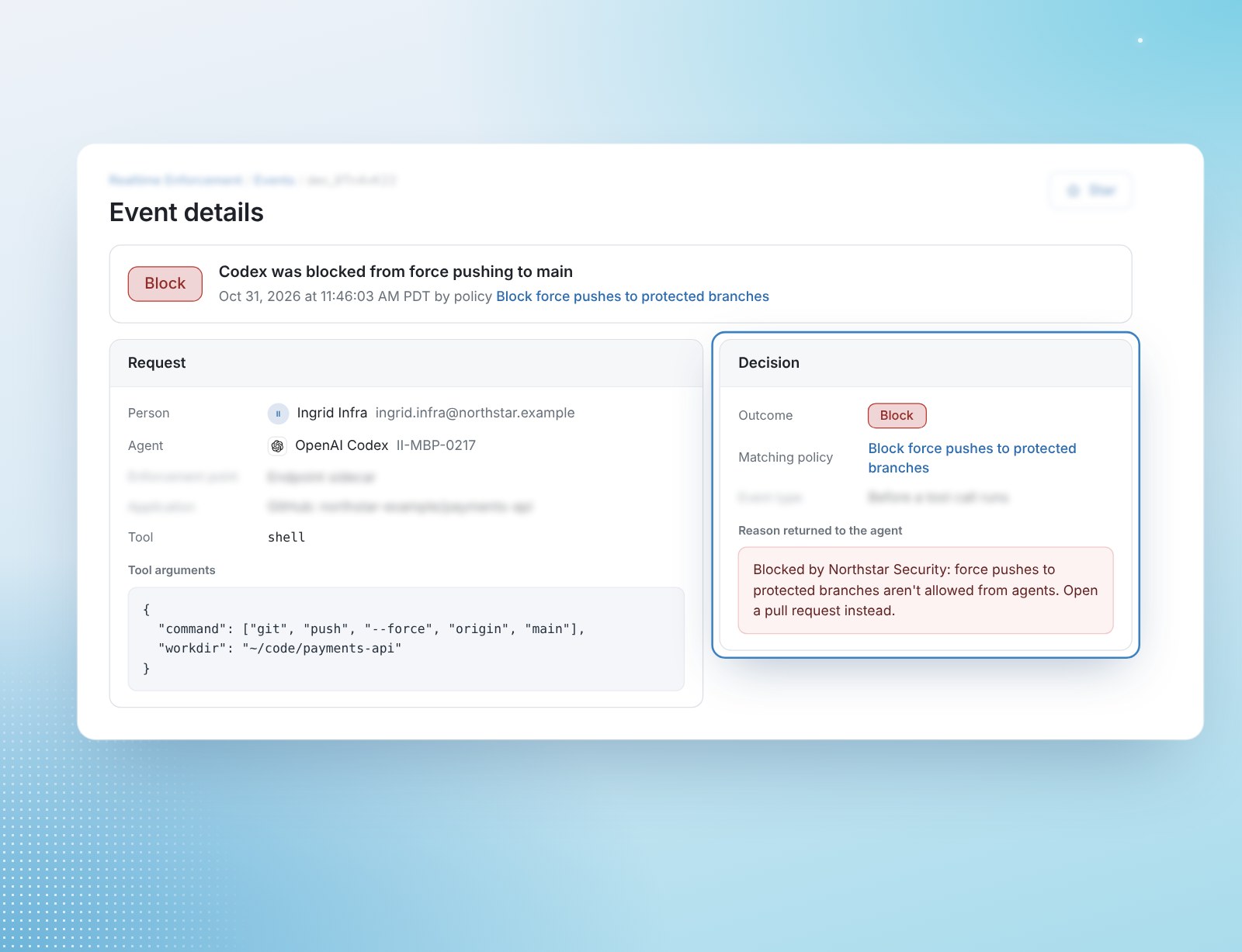
Every decision is logged with the agent, the developer, the command, the matching policy, and the reason. Once the sidecar is in place, Obsidian logs each tool call even before you write a policy, so a team that isn’t ready to block anything still gets a record of what Codex did and who asked for it.
Runtime policy is one layer of protection, not the whole stack. It decides actions that pass through the sidecar, and it works best alongside the access you’ve already narrowed with discovery and AI Access. Codex policies return Flag or Block today; Require approval, which holds an action until a person signs off, is available for Claude Code.
Context Codex doesn’t have
A Codex command can run on valid credentials, use an approved tool, and take an action the developer’s account is allowed to take, and still put the business at risk. Codex can’t see whether the developer left the company this morning, or whether the file it’s about to open is one your company labels Highly Sensitive. Obsidian can.
Obsidian’s foundation has always been third-party apps. Through connectors into more than 200 of them, it understands who can access what and what they can do with that access, and the Policy Decision Engine draws on that knowledge for every decision. If your HR system shows a developer is no longer employed, a policy can block the next tool calls from a Codex session still running on their credentials. If a file carries your Highly Sensitive label and the developer works outside the Executive team, a policy can block the read. Security teams can also bring their own context, such as data classification labels, so a policy follows your company’s definition of sensitive.
Rolls out without changing how developers work
Developers keep using Codex the way they do today. The sidecar deploys per user or per device, so you can start with a small group, such as IT and security, before it reaches the rest of engineering.
For MCP, a common pattern is to block any MCP server that isn’t on your approved list, then route the approved ones through the MCP Security Proxy. Developers get a governed path to the apps they need, and every tool call along it is checked against the same policies.
Codex shares those policies with the rest of your agents. Security applies the same policies to Codex, Claude Code, Cowork, and Microsoft Copilot from one console, and teams that already run an API gateway or agent harness can request the same decisions through the Policy Decision API.